
VS Code Extension
Install and use the official NestForge VS Code extension for scaffolding, DB workflows, and project inspection.
NestForge ships with an official VS Code extension for driving the nestforge
CLI from the editor.
- Marketplace: vernonthedev.nestforge
- Current stable version:
0.7.0 - Minimum VS Code version:
1.109.0
Requirements
Section titled “Requirements”Before using the extension, make sure you have:
- VS Code
1.109.0or later - a
nestforgeCLI executable available on yourPATH, or a custom path configured through settings cargoinstalled if you want to useNestForge: Format Rust
Scaffolding Wizard
Section titled “Scaffolding Wizard”Run NestForge: New Application from the Command Palette to scaffold a new app
with a guided flow:
- Enter the application name.
- Pick one or more transports.
- Optionally enable
Midnight Notify. - Let the extension run
nestforge new <app-name>with the selected options.
Available transport values:
httpgraphqlgrpcmicroserviceswebsockets
Generator Wizard
Section titled “Generator Wizard”Run NestForge: Generate to open a nested QuickPick workflow:
- Choose a category:
Core,Cross-Cutting, orTransport. - Choose a generator such as
Resource,Interceptor,Service, orGateway. - Enter the resource name.
- If required, select the target module.
The extension then runs the matching nestforge g ... command and refreshes the
File Explorer so generated files appear immediately.
Explorer Context Menus
Section titled “Explorer Context Menus”Right-click a folder in the Explorer to access:
NestForge: Generate
Generate opens the normal generator selection flow and also works from the
selected folder in the Explorer. If the folder is a real Nest module such as
src/users, module-aware generators will target users automatically.
Database Dashboard
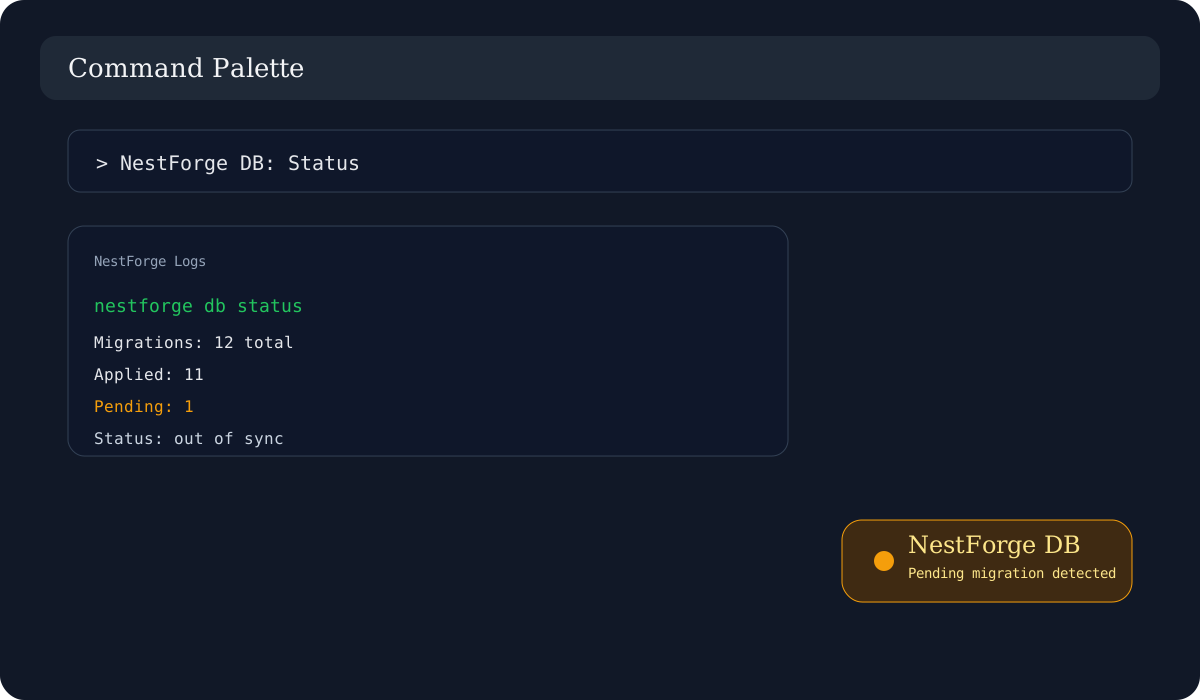
Section titled “Database Dashboard”The extension contributes a dedicated NestForge DB command group:
NestForge DB: InitNestForge DB: GenerateNestForge DB: MigrateNestForge DB: Status
Database status is also surfaced in the status bar. The extension can poll
nestforge db status on an interval and after saves to detect pending
migrations or database changes that need review.
Environment Validation
Section titled “Environment Validation”The extension validates .env files in Rust workspaces and highlights missing
required variables such as DATABASE_URL.
- required transport variables are inferred from the workspace
- Quick Fix actions can add missing variables directly from diagnostics
- hover text explains what each supported variable is used for
Utilities
Section titled “Utilities”NestForge: OpenAPI DocsNestForge: Format RustNestForge: Generate Run ConfigNestForge: Initialize Git RepositoryNestForge: Open LogsNestForge: Show Module Graph
Module Graph
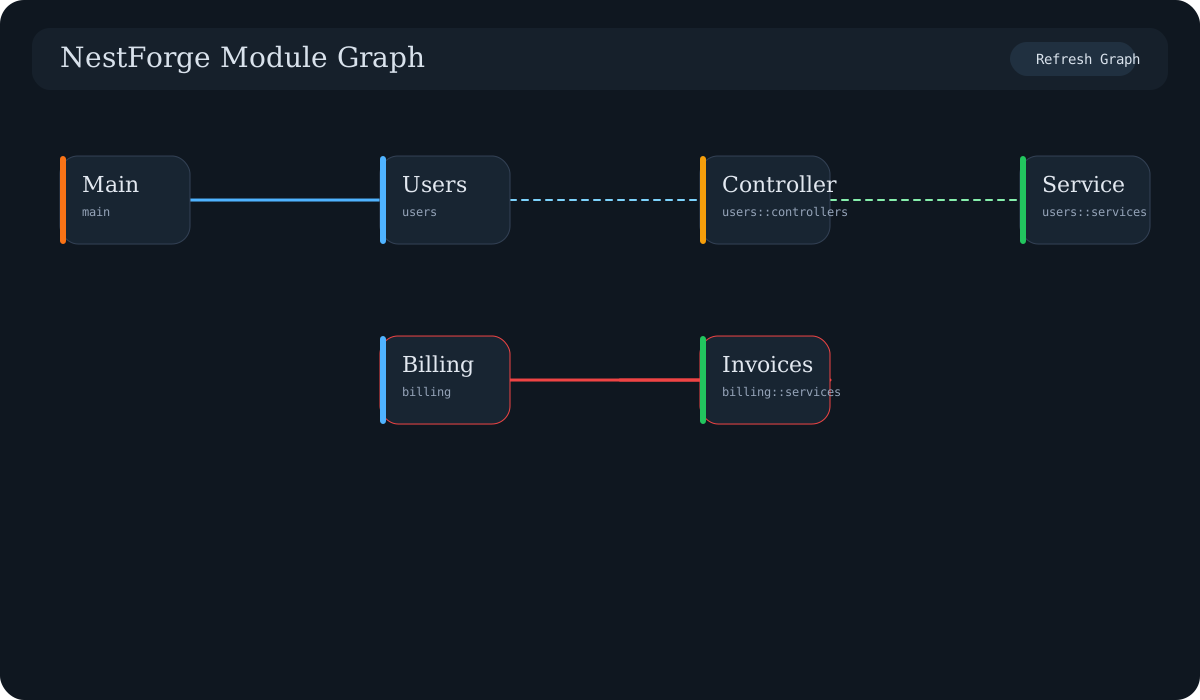
Section titled “Module Graph”NestForge: Show Module Graph scans Rust modules under src/ and renders a
directed graph in a webview.
- node clicks open the backing file in the editor
- circular dependencies are highlighted in red
- a
Refresh Graphbutton reloads the current workspace structure
Extension Settings
Section titled “Extension Settings”This extension contributes the following settings:
nestforge.cliPath: executable used for NestForge CLI commands. Default:nestforgenestforge.cargoPath: executable used for cargo commands. Default:cargonestforge.docsUrl: URL opened byNestForge: OpenAPI Docs. Default:http://localhost:3000/api/docsnestforge.dbStatus.enabled: enable or disable DB status polling and the status bar item. Default:truenestforge.dbStatus.intervalMs: polling interval fornestforge db status. Default:300000nestforge.status.connectionTimeout: timeout for each initial DB connection check. Default:5000